
You may use the same code as last year, if you remember it. If you do not, you may follow the instructions below to reset your password.
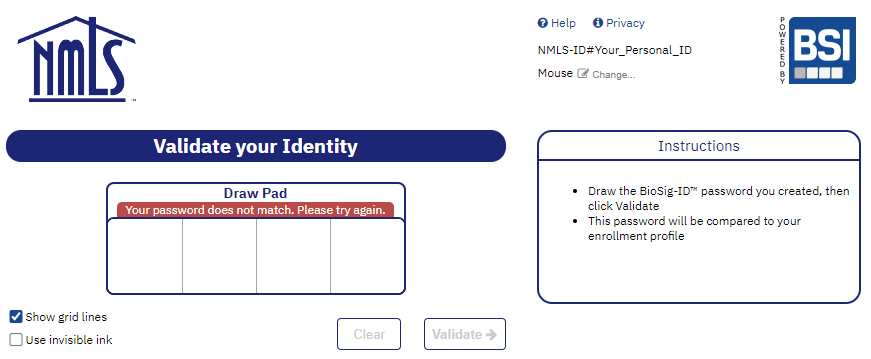
After failing to validate 3 times in a row, you will be prompted to authorize via a token received through email. Below, we have documented the steps in the password reset process.
Step 1 - Fail to enter your passcode 3 times in a row.
Step 2 - A security code will be sent to the email address shown in the instructions box.
Do NOT close or refresh the BioSig-ID™ page when retrieving your security code.
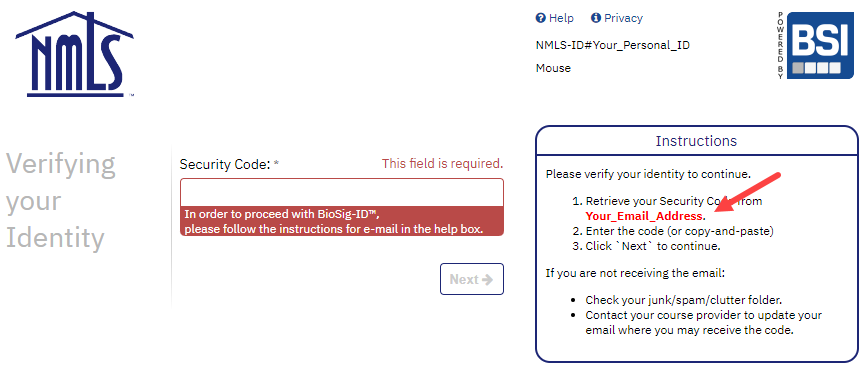
NOTE: If the email address shown on the screen is not correct, see this article.
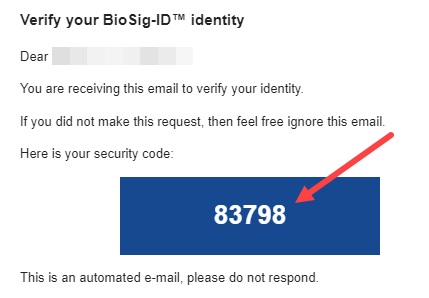
Step 3 - Check your email to find the most recent email from no-reply@biosig-id.com.
Below is a sample email from no-reply@biosig-id.com. In this example, the security code is 83798. The code is auto generated and will expire after 30 minutes.
NOTE: If you do not receive the email within a few moments, see this article.
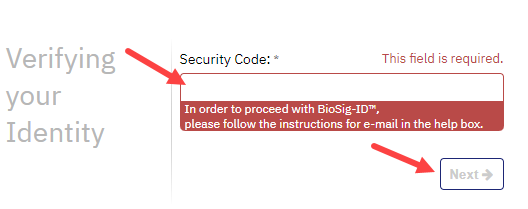
Step 4 - Return to the BioSig-ID™ page and enter the security code in the box and click Next.
If you closed the BioSig-ID™ screen or have been inactive for too long, you will see the VALIDATE page. In this case, you need to start over at Step 1 of these instructions.
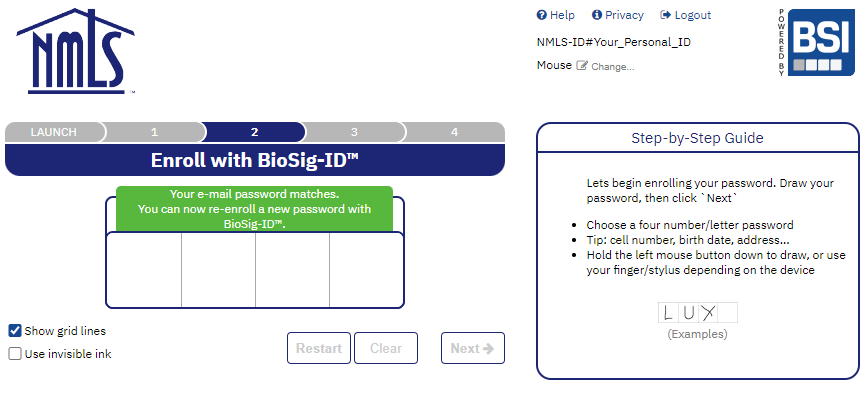
Step 5 - Follow the steps to re-Enroll a new password.
If you need help with the enrollment process please see our Step-by-Step Enrollment article.
This information is also available in a video format.